Recovering space on an iphone or ipod touch
When you decide that it is worth to risk your ipod touch's warranty in order to install a vast number of third party apps, you are sure to end filling up all the space dedicated to the ipod operative system. This ain't good for a lot of reasons: you won't be able to install new software and some will fail (as of YouTube not being able to create its cache files).
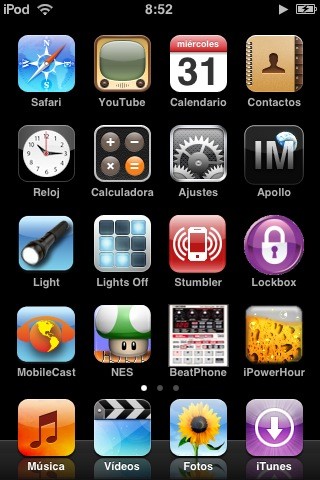
The Apple new toys come initially with two disk partitions:
- /dev/disk0s1 /var/root [300Mb]
- /dev/disk0s2 /private/var [7,3Gb]
The former partition (300Mb) holds the ipod's operative system and applications. The latter partition stores all the media files: music and videos. If you install the iphone applications (Mail, Google Maps, Notes, etc.) and some third party apps and games (ssh, Finder, Books, etc.) you will probably have less than 1Mb space left pretty quickly.
Here it is a quick and dirty trick to free some space by moving applications from the root partition to the media one. Courtesy from the fellows at tuaw. First of all, you need access to the itouch's shell, as you will need to execute some unix commands there. You can gain access to the shell by installing TermVT-100 (appinstaller sources) or by ssh login.
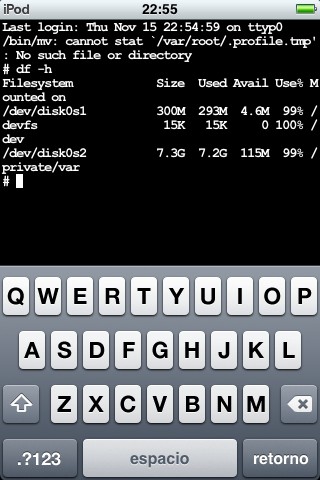
Once being at the shell prompt, you will have to follow these instructions carefuly. READ THIS ALL BEFORE YOU DO ANYTHING!
- mkdir ~/Applications
You are creating the Applications folder in the media partition, because there are usually lots more of space there.
- mv -iv /Applications/AppNameZHere.app ~/Applications/
WHERE "AppNameZHere" DOES NOT INCLUDE ANY OF THE DEFAULT APPS (MobileSafari.app, MobileMusicPlayer.app, MobileCal.app, etc.).
We are moving the applications from the root partition to the media one. By doing so we are freeing space on the root partition!
- ln -s ~/Applications/* /Applications/
This makes a link between the files in ~/Applications/ (which has a lot of space) and /Applications (which does not). It fools the iphone or itouch into thinking that nothing has happened. Now that we are done, let's see how much space have we freed by typing:
- df -h
We probably will have 4-5Mb of free space, which is good enough to keep installing new things, at least until february (when third party apps will be finally welcomed by Apple). Hope that it helps! Of course, everything you do is under your responsibility!